BullMQ
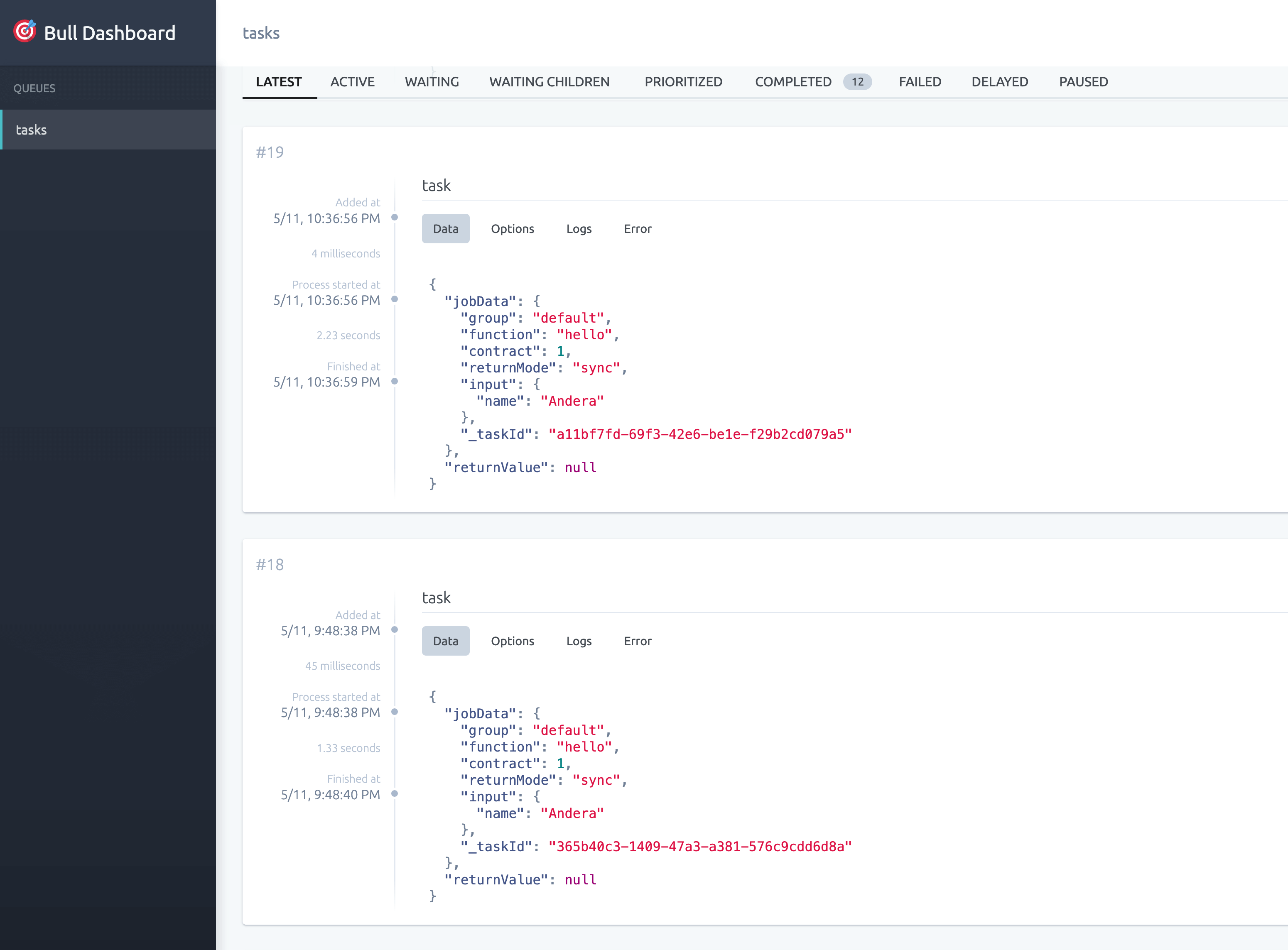
The Load Balancer uses BullMQ as a queue solution and provides a BullMQ Interface with @bull-board on /bull for real-time monitoring and management of your distributed job queues.
Features
- Lists the BullMQ queues managed by the Load Balancer.
- Displays job status (waiting, active, completed, failed, delayed).
- Shows job details, payload, and logs for debugging.
- Allows retrying or removing jobs directly from the interface. A job only runs while the Load Balancer still holds the caller's request in memory, so retrying a finished job from the interface does not run it again: it fails with
Task context is no longer available. - Real-time updates of queue and job status.
Access
- The BullMQ interface is available at
/bullif enabled in the configuration. - The interface has no built-in login. It shows job data, including task inputs, and allows actions on jobs. Protect
/bulland all its subpaths with authentication and SSL at an HTTP proxy configured by the administrator, or keep the interface disabled. - Worker credentials (
x-wr-auth) and webhook headers supplied by the caller stay in the Load Balancer's memory and never appear in Redis or this interface. Completed and failed jobs are kept for 24 hours.
Example Nginx Proxy Configuration
location ~* ^/bull(/|$) {
  proxy_pass http://localhost:4000;
  auth_basic "Restricted";
  auth_basic_user_file /etc/nginx/.htpasswd;
  # SSL configuration here
}
Monitoring Queues
- The interface fetches queue and job information from the BullMQ integration in the Load Balancer.
- Use the interface to monitor queue health, job throughput, and debug issues in real time.
- Supports filtering and searching jobs by status or ID.
Enabling or Disabling the BullMQ Interface
The BullMQ interface can be enabled or disabled using the BULL_BOARD_ENABLED environment variable in your Load Balancer configuration. Set it to true to enable or false to disable the BullMQ dashboard:
BULL_BOARD_ENABLED=true
The BullMQ interface is disabled by default. The sample .env enables it for local use; enable it in production only behind the same authenticated reverse proxy as the main dashboard.